My Website Gets Traffic but Zero Leads — Here's Exactly Why (And How to Fix It)

Introduction
You open Google Analytics on a Tuesday morning and the numbers look fine. Traffic is up. Session duration is decent. People are landing on your pages, scrolling through your services, reading your content.
But the phone is not ringing. The contact form has not moved in three days. And when a lead does come in, it feels almost random — like the person found you despite your website, not because of it.
This is one of the most common and most frustrating situations in digital marketing: a website that attracts visitors but fails to convert them. And the instinct most business owners have when they hit this wall is to invest more in traffic. Run more ads. Push harder on SEO. Post more content. Get more eyeballs.
That instinct is almost always wrong.
Sending more traffic to a website that does not convert is like pouring water into a leaking bucket. You are not solving the problem — you are amplifying it. Every extra dollar you spend on ads or SEO goes further toward proving that something deeper is broken.
The real issue is almost never traffic volume. It is what happens to visitors after they arrive.
Here is the data that puts it in perspective. The median website conversion rate across all industries in 2026 is 2.35%. Top-performing websites convert at 11.45% or higher. That is nearly a five-times difference between the average and the best — and the gap has widened significantly in 2026. The businesses at the top are not getting five times more traffic. They have built websites where five times as many visitors actually take action.
The difference between a website that generates leads and one that generates traffic sits in seven specific, fixable problems. This guide covers all of them — what each one looks like, why it is happening, and exactly what to do about it.
Reason 1: You Are Attracting the Wrong Kind of Traffic
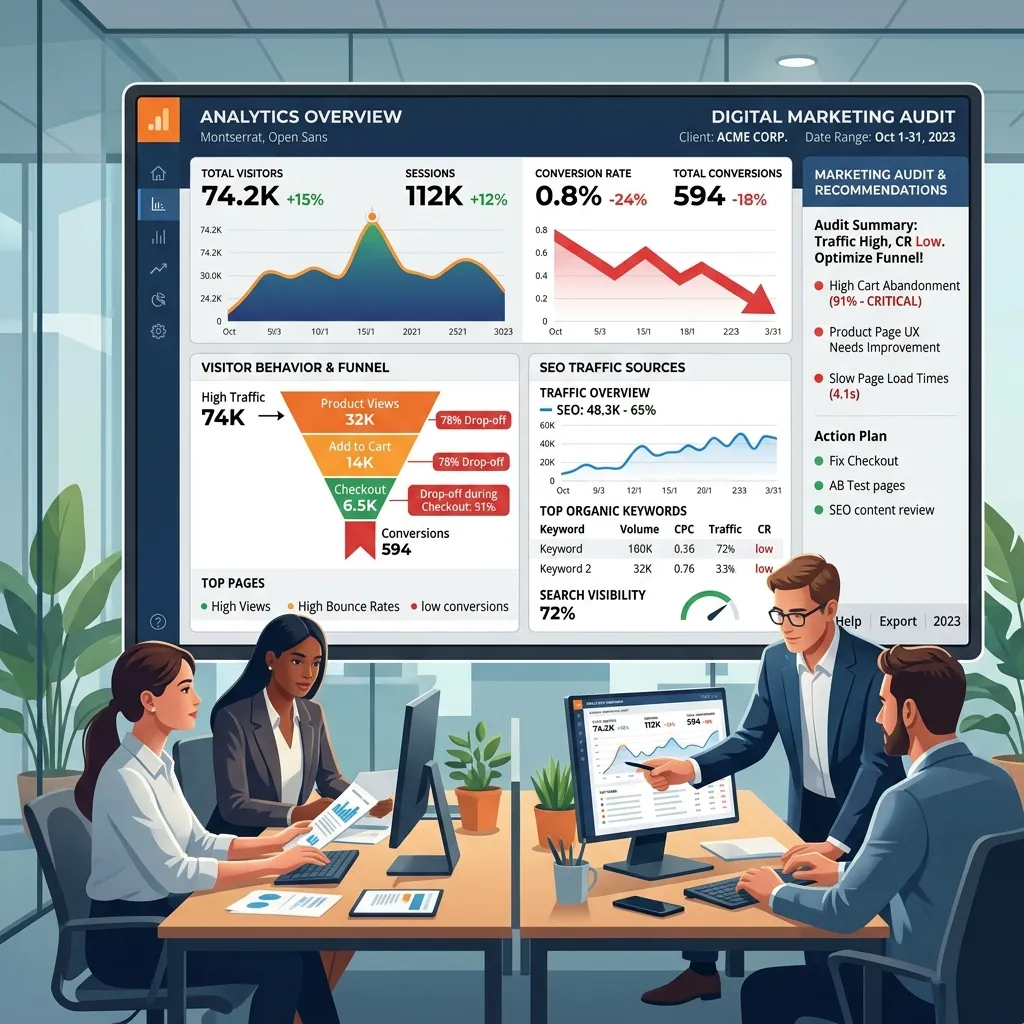
This is the most uncomfortable diagnosis because it means something you have invested in — your SEO services strategy, your blog content, your ad targeting — may be working technically while failing commercially.
Traffic is not equal. A visitor who lands on your website while searching "what is digital marketing" is in a fundamentally different headspace than one who searched for "local SEO services for my HVAC company near me." Both visits show up as traffic in your analytics. Only one of them had any realistic chance of becoming a lead.
The core problem is search intent. In 2026, search results — and the content strategies built around them — have increasingly drifted toward informational queries. High search volume attracts content creators. Blog posts, guides, and FAQs rack up impressive traffic numbers. But informational intent traffic is browsing traffic. The people arriving on those pages are learning, not buying.
There is a practical signal for this in your own analytics. If your most-visited pages are informational blog posts and your service pages have relatively low traffic, you are likely attracting researchers, not buyers. If your bounce rate is high on pages where you expect conversions, visitors are arriving, scanning, and leaving because what they found does not match what they needed.
This does not mean informational content is worthless. It builds authority, earns backlinks, and can feed a longer nurture funnel. But every page on your website should have a clear next step that is relevant to why the visitor landed there. An informational blog post about HVAC maintenance should link prominently to your HVAC service page and include a low-friction CTA — a free inspection offer, a cost calculator, a phone number. Without that bridge, you educate the visitor and then watch them leave.
The fix starts with auditing your top traffic pages and asking a direct question: is the person landing on this page ready to take any action related to my services? If the answer is no, you either need to add better conversion paths into that content or reallocate your traffic investment toward the commercial and transactional keywords that attract buyers — searches like "hire," "near me," "cost of," "best [service] in [city]," and "[service] quote."
Reason 2: Your Website Is Too Slow — Especially on Mobile
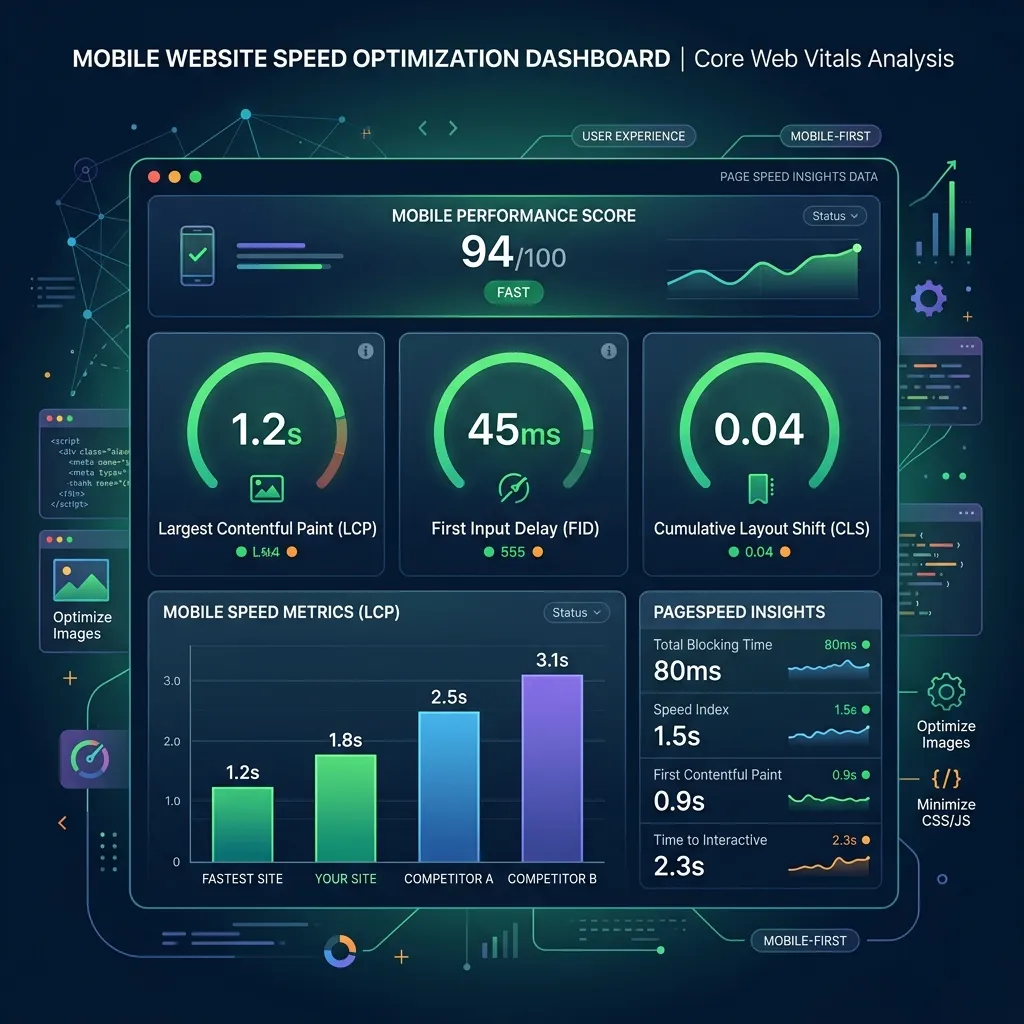
Speed is not a technical nicety. It is a commercial necessity, and the data on what slow pages cost businesses is consistent and damning.
A one-second delay in page load time reduces conversions by 7 percent on average. A three-second delay increases bounce rate by 32 percent compared to a one-second load. When load time climbs from one second to five seconds, bounce rate jumps by 90 percent. And critically for any local business targeting customers on their phones: 53 percent of mobile visitors abandon a page that takes more than three seconds to load — yet the average mobile page load time across the web is still 8.6 seconds.
Let that last number sit for a moment. The average mobile page loads in 8.6 seconds. The threshold at which more than half of mobile users give up and leave is 3 seconds. Millions of business websites are sitting in that gap, hemorrhaging leads every single day, with their owners completely unaware because the analytics show the visits — not the immediate departures.
For US local businesses, where the majority of search traffic now comes from mobile devices and where customers are often searching in the moment they need a service — "plumber near me right now," "emergency HVAC repair open now" — a slow website is not a minor UX issue. It is a direct competitor advantage handed to whoever loads faster.
The technical causes of slow websites are consistent. Unoptimized images are the most common culprit — photos uploaded at full resolution, without compression, adding megabytes to every page load. Then come bloated WordPress themes loaded with features the site never uses, unminified JavaScript files that block rendering, too many third-party scripts from analytics tools, chat widgets, and ad trackers all loading simultaneously, and no content delivery network to serve assets from servers close to the visitor.
The fixes are not glamorous, but they are measurable. If you are struggling with the technical execution, partnering with a digital marketing agency can help. Compress every image before uploading. Use a CDN. Minify and defer JavaScript. Remove plugins and scripts your site does not actively need. Test your current speed right now using Google PageSpeed Insights — it is free, it gives you a performance score out of 100, and it tells you exactly which elements are slowing your page down. A score below 50 on mobile is a lead generation emergency. Getting that score above 75 on mobile should be a priority that overrides almost everything else on your website roadmap.
The return on fixing speed is immediate and measurable. Swappie improved its Core Web Vitals and saw mobile revenue increase 42 percent. Vodafone improved their Largest Contentful Paint score by 31 percent and saw an 8 percent increase in sales. A 0.1-second improvement in load time increases conversions by 8.4 percent for service businesses. These are not hypothetical gains. They are documented outcomes from companies that fixed what most businesses are still ignoring.
Reason 3: Your Service Pages Are Written for Search Engines, Not for Buyers
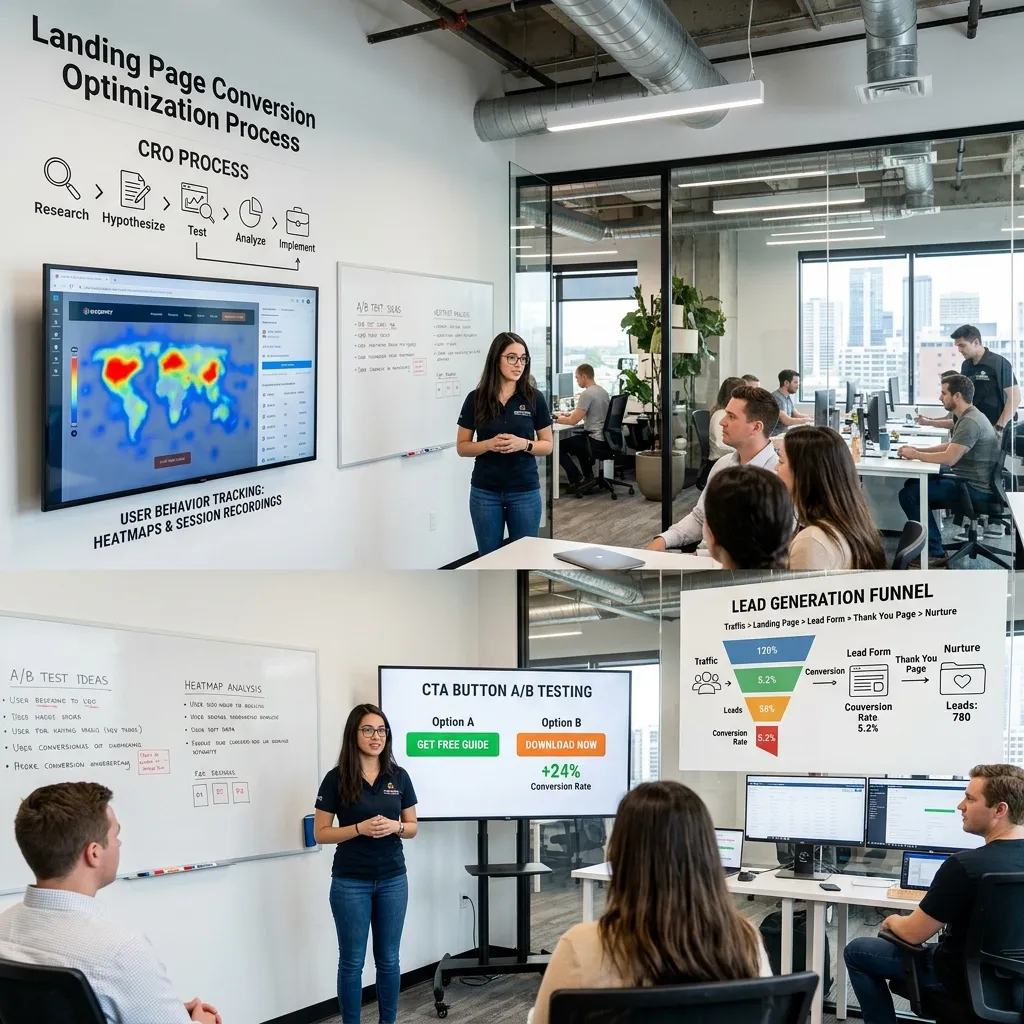
There is a version of a service page that exists to rank. It has the keyword in the title, in the first paragraph, in a few headings, and scattered through 800 words of generic description. It talks about the company. It lists what the company does. It may include a bullet list of services.
It does not sell anything to anyone.
And there is the version that converts. It opens by naming the problem the visitor has right now. It speaks directly to the fear, frustration, or urgency that drove the search. It answers the questions a real buyer actually has — how much does this cost, how quickly can you come out, what happens after I contact you, what makes you different from the other four companies I am also looking at? It includes real proof that you have solved this problem before, for people like them. And it makes the next step obvious, frictionless, and impossible to miss.
Most small business service pages are the first version. They describe. They do not persuade. And they do not guide.
Consider what a buyer who lands on your service page is actually thinking. They arrived because a search result suggested you might solve their problem. They have been on your website for about fifteen seconds. In that fifteen seconds, they are running through an unconscious checklist: Is this the right service? Is this business credible? Can I trust them? What do I do next? How quickly will they respond? How much is this going to cost?
If your service page does not answer those questions — explicitly, clearly, quickly — the visitor moves on. Not because they are not interested. Because you failed to give them what they needed to feel confident taking the next step.
The highest-converting service pages in 2026 follow a specific structure backed by solid conversion rate optimization principles. The headline names the service and the benefit, not just the service. The opening paragraph addresses the visitor's problem, not the company's offering. Social proof — a specific testimonial with a real name, a star rating, a result in numbers — appears within the first scroll. A clear CTA with a specific action ("Get a free quote today" rather than "Contact us") is visible above the fold. An FAQ section handles the objections buyers raise before they call. And the entire page is written the way a trusted expert would explain the service to a potential client in person — not the way a company would write a brochure.
Reason 4: Your CTAs Are Invisible, Generic, or Missing
The call to action is the moment your website asks a visitor to become a lead, making it the linchpin of your entire lead generation strategy. And an alarming number of business websites either bury this ask, make it generic to the point of meaninglessness, or skip it entirely on pages that get significant traffic.
"Contact us." "Get in touch." "Learn more." "Submit."
These phrases appear on thousands of service websites. They share one characteristic: they give the visitor no compelling reason to click, no clarity about what happens next, and no sense that anything valuable is waiting on the other side.
The data on what actually converts is more specific. CTAs that describe what the visitor receives — "Get your free quote," "Book a 15-minute strategy call," "Get your free website audit" — consistently outperform generic action words. First-person phrasing like "Start my free strategy session" outperforms second-person "Start your free strategy session." And social proof placed immediately adjacent to a CTA increases conversion dramatically: a HubSpot case study found that adding social proof directly under a CTA produced a 68 percent conversion lift. Adding "doubt removers" — short lines like "No commitment required" or "We respond within one business day" — next to a CTA produced a 124 percent lift in one documented test.
The physical placement of your CTA on the page matters as much as the copy. Your primary CTA should be visible without scrolling — above the fold — on every service page. It should also appear at logical decision points throughout longer pages: after your credentials, after a strong testimonial, and at the bottom before the visitor navigates away.
The color of your CTA button matters too, but not in the way most people think. The research does not point to a universally "best" color. What it consistently shows is that the CTA button needs to contrast sharply with the page background. If your website is predominantly white and blue, a blue CTA button is invisible. An orange or green button that stands out is not a design choice — it is a revenue decision.
One practical audit you can do on your own website right now: open your most-visited service page and squint at it slightly — blur your vision until you can only see the overall layout. Can you still identify the CTA button? Is it the most visually prominent element on the page? If not, your visitors — who are scanning your page in three seconds before deciding whether to stay — are missing it entirely.
Reason 5: You Have Not Given Visitors Any Reason to Trust You
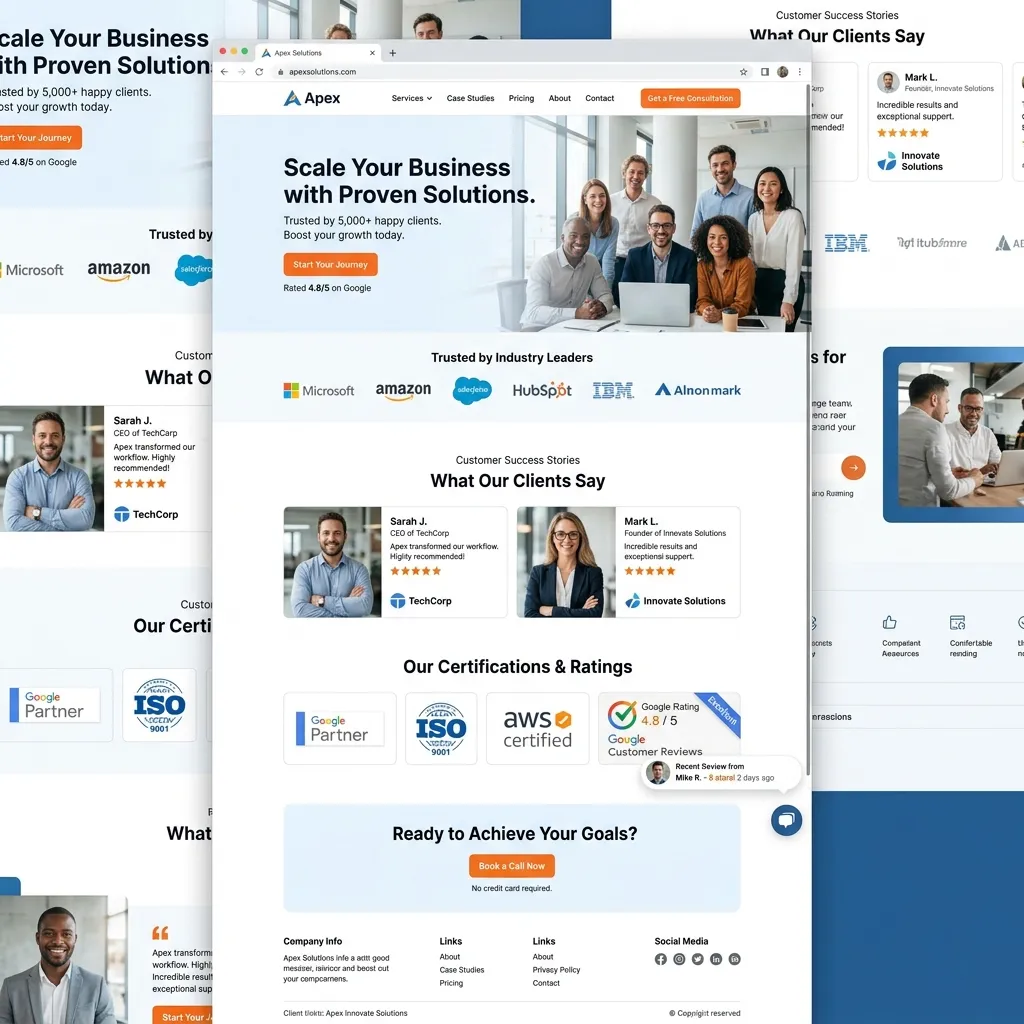
A visitor who finds your website through a Google search knows nothing about your business. They have not been referred by a friend. They have not seen your truck in the neighborhood. They have no relationship with you whatsoever. Before they hand over their phone number or email address, they need to believe you are real, credible, and capable of delivering on your promise.
The trust signals that matter most in 2026 are specific and verifiable, and they form the foundation of successful online reviews and local SEO. A Google rating badge showing your actual star rating and review count. Named testimonials — not "John D., satisfied customer" but "Sarah Mitchell, owner of Mitchell Landscaping, Austin TX" — paired with a real photo if possible, describing a specific result in specific terms. Case studies or before-and-after examples that show what your work actually produces. Industry certifications, association memberships, and partner badges that a visitor can verify. Exact counts of customers served, years in business, or documented results.
Generic testimonials are almost worthless. "Great service, highly recommend!" tells a potential customer nothing about whether you will solve their specific problem. A testimonial that says "GrowLimo rebuilt our Google Ads campaign and we went from $40 per lead to $18 per lead in 90 days" is a completely different asset — it is specific, verifiable, and directly relevant to the fear that every business owner has before investing in marketing.
The research behind this is consistent across sources. BrightLocal's 2026 Local Consumer Review Survey found that 97 percent of consumers read reviews before engaging with a local business, and 68 percent require a minimum four-star rating to even consider making contact. Pages that include social proof near conversion points convert 12 to 15 percent higher on average. And visitors who experience even a single unresolved trust gap — an outdated copyright year in the footer, a phone number that goes to voicemail without a callback promise, a portfolio with no recent work — tend to leave without converting.
The fix is not complicated, but it requires intentionality. Add your Google rating widget to your homepage header. Pull your three strongest, most specific testimonials and place them on your most-visited service pages — next to your CTA, not buried in a separate "testimonials" tab. If you have before-and-after examples or documented results, build a simple case study page. And audit your website for the small trust-breaking details that accumulate over time: the outdated footer year, the placeholder "our team" photo, the FAQ that has not been updated since 2022.
Reason 6: Your Contact Form Is Killing Your Conversions
The contact form is the final step between a visitor and a lead. It should be as frictionless as possible. In practice, most business website forms do the opposite — they ask for too much information too soon, require fields that feel intrusive before any relationship has been established, and offer no reassurance about what happens after the visitor clicks submit.
The data on form length is unambiguous. Forms with more than four fields consistently drop conversion by 10 to 20 percent compared to shorter forms. A nine-field form converts at roughly one-third the rate of a three-field form. And 55 percent of users who start filling out a form abandon it before submitting — meaning more than half of the visitors motivated enough to begin your form are giving up before you capture their information.
The default instinct of many businesses is to gather as much information as possible upfront: name, phone, email, company, budget, timeline, service needed, how they heard about you. Each of those fields feels useful from the company's perspective. From the visitor's perspective, each additional field is a reason to hesitate. They are not sure yet if they want to share their budget with a company they found five minutes ago. They may not know their timeline. They resent being asked to do your qualification work before you have given them any value.
The solution is to ask for the minimum needed to start a conversation. For most service businesses, that is a name, phone number or email, and optionally one specific question. Qualify further during the actual conversation. The goal of the form is not to collect a complete client brief — it is to open a door.
If you genuinely need more information to serve inquiries effectively, the research points clearly to multi-step forms as the answer. Breaking a long form into two or three screens, each with two or three fields and a progress indicator, produces dramatically higher completion rates than presenting all fields at once. Visitors who start a multi-step form are psychologically committed to the first step and are far more likely to complete subsequent ones.
What happens after the visitor submits the form matters as much as the form itself. If your follow-up is slow, you are losing leads that your website worked hard to capture. Research analyzing nearly four million form submissions found that responding to an inquiry within five minutes versus within 30 minutes more than doubles the conversion rate from lead to booked appointment. The average lead response time at most businesses is over 29 hours. And 63 percent of businesses never respond to online inquiries at all.
The immediate fix: set up an automated email that goes to every form submission within 60 seconds of submission, using basic marketing automation, confirming receipt and setting a clear expectation for when you will follow up personally. This one change closes the trust gap that causes most post-form abandonment, and it costs nothing beyond the 30 minutes it takes to set up.
Reason 7: You Are Tracking Traffic, Not Leads
Here is a deceptively simple problem that affects a majority of small business websites: the analytics setup measures the wrong things, so the wrong problems get prioritized.
If your primary metrics are sessions, pageviews, average time on page, and bounce rate, you have traffic analytics. You know a lot about how people move around your website. You know almost nothing about whether those movements are producing leads, calls, or customers.
The shift that changes everything is tracking actual conversion events — the specific actions that represent a real business outcome.
For a local service business, those events are: phone calls made directly from your website (requires call tracking, either through Google Ads management call tracking or a tool like CallRail), contact form submissions confirmed by arrival on a dedicated thank-you page, quote requests, appointment bookings, and any chat conversations that result in contact information being captured.
When you track these events properly — in Google Analytics 4, with conversion goals set up correctly, and ideally with the same data flowing into your Google Ads account for optimization — you gain the ability to answer the questions that actually matter. Which pages generate the most leads? Which traffic sources produce the highest-quality inquiries? Which CTA converts better — "Get a free quote" or "Book a call"? What is the cost per lead from your PPC services versus your organic traffic?
Without this tracking, every website decision is made on assumptions and instincts. You may be investing in pages that drive traffic and assuming that traffic is working, while the pages that actually generate your calls go under-resourced because their traffic numbers look smaller.
Setting up proper conversion tracking is not a long project. Google Analytics 4 conversion events, Google Ads conversion actions, and call tracking can all be configured in an afternoon with someone who knows what they are doing. The ROI on that afternoon — in better decisions, eliminated wasted spend, and clearer marketing ROI — compounds every single month afterward.
Putting It All Together: What a Conversion-Ready Website Actually Looks Like
The websites generating consistent leads for US service businesses in 2026 are not necessarily the most beautiful. They are not always the most expensive. What they have in common is alignment — between the traffic they attract, the message those visitors receive, the trust signals that reduce hesitation, and the conversion paths that make it easy to take the next step.
A conversion-ready website in 2026 attracts commercial-intent traffic through AI search optimization and paid search. It loads in under three seconds on mobile. Its service pages speak to buyer problems, not just company features. Its CTAs are specific, prominent, and placed at the moments visitors are most likely to act. Its trust signals — like Google Business Profile optimization reviews, testimonials, certifications, results — are visible on every page where a conversion could happen. Its forms ask for the minimum information needed to start a conversation. And it tracks actual leads, not just visits, so every marketing decision is grounded in real data.
Most websites fail on at least four of those seven criteria. The businesses that fix all seven do not just get more leads — they get better leads at lower cost, because the same traffic budget produces dramatically more output when the conversion infrastructure is solid.
The honest truth is that building this kind of website is not a one-time project. It requires ongoing attention: testing CTA copy, reviewing form completion data, updating testimonials, monitoring speed scores, and auditing traffic quality regularly. But the foundation — getting the seven problems above fixed — can transform what your website produces within 60 to 90 days of focused work.
Is Your Website a Lead Machine or a Brochure?
Most business websites function as expensive brochures. They look professional. They describe services competently. And they convert at 1 to 2 percent, generating a trickle of leads that feel random and unpredictable.
A lead machine works differently. It is designed around one question: what does this visitor need to see, read, and feel in order to take the next step? Every page answers that question. Every CTA makes the next step obvious. Every trust signal reduces a specific hesitation. Every form removes a specific barrier.
At GrowLimo, we start every website project and every digital marketing engagement with a conversion audit — a structured review of where your current website is losing visitors and what the specific fixes are worth in real lead volume. We do this before recommending any increase in ad spend or SEO investment, because there is no point driving more traffic to a site that is not built to convert it.
If your website is getting traffic but not generating the leads your business needs, we would be glad to take an honest look at it with you.
[Get your free website conversion audit at growlimo.com/contact]
GrowLimo, a premier digital marketing agency, helps US businesses build websites and Google Ads management systems that generate consistent, qualified leads — not just traffic reports.
Frequently Asked Questions
Why does my website get traffic but no leads?
The most common reasons are attracting informational rather than commercial intent traffic, slow page load speeds (especially on mobile), generic CTAs, complex contact forms, and missing trust signals like reviews and testimonials. Visitors land on your site but fail to take action because of these friction points.
What is a good website conversion rate for local service businesses?
In 2026, the median website conversion rate is around 2.35%, while top-performing websites in local service industries convert at 11.45% or higher. If your conversion rate is under 2%, there is significant room for improvement before spending more on traffic.
How can I improve my website's conversion rate quickly?
Three fast ways to improve conversions: add clear, specific CTAs above the fold on all service pages; reduce the number of fields in your contact form to only ask for essential information; and prominently display social proof (such as Google reviews or testimonials) next to your conversion points.
About the Author
The GrowLimo Team GrowLimo is a specialized digital marketing agency dedicated to helping local US businesses turn website traffic into consistent, qualified leads. With expertise in technical SEO, Google Ads management, and high-conversion web design, our team builds the marketing systems that power business growth.
Related Reads You Might Enjoy:
GrowLimo Team
Author & StrategistOur team of digital marketing specialists combines deep industry expertise with data-driven strategies to help businesses grow.
Related Articles

AI Tools for Marketing: The Honest 2026 Guide to What's Actually Worth Paying For

How to Choose the Best SEO Company in California in 2026