SEO · 3 min read
Google Business Profile Photos & Posts for Patient Growth
Use Google Business Profile photos and posts to boost local SEO, build trust, and attract more patients to your clinic with proven strategies.
Published · Updated · 3 min read
On this page10 sections
- Using Photos and Posts on Google Business Profile to Attract New Patients
- 1. Why GBP Photos Matter for Healthcare Providers
- 2. Types of Photos to Upload for Maximum Impact
- 3. Upload Photos Consistently to Boost Local Ranking
- 4. How GBP Posts Bring More Patients to Your Clinic
- 5. Types of GBP Posts That Work Best for Doctors
- 6. Optimize Every Photo and Post with Medical Keywords
- 7. Monitor Engagement to Improve Your Strategy
- Conclusion
- Frequently Asked Questions (FAQs)
Key takeaways
- Upload real photos of your building exterior, waiting rooms, treatment areas, team and equipment, and avoid stock images because they reduce trust.
- Add at least two new photos every month, since Google favors profiles that are updated often.
- Use Google Business Profile posts to share health tips, new doctors or services, seasonal offers and clinic updates directly in search results.
- Rename image files before uploading and work service and location keywords naturally into captions.
- Post patient photos only with written consent, and track photo views, post engagement, calls and direction requests to refine your approach.
Using Photos and Posts on Google Business Profile to Attract New Patients
Google Business Profile (GBP), formerly Google My Business, is one of the most powerful patient acquisition tools available to medical practices today. While claiming your profile is the first step, high-quality photos and strategic posts are what make your clinic stand out in competitive local search results.
Visuals and regular updates build immediate trust, alleviate patient anxiety, and drive direct appointment bookings. This guide explains how healthcare providers can use GBP photos and posts effectively to stand out in local search and attract new patients.
1. Why GBP Photos Matter for Healthcare Providers
In the medical field, trust is highly visual. When a patient searches for a new primary care doctor or a specialized surgeon, they rely heavily on imagery to evaluate the safety, cleanliness, and professionalism of the facility.
A robust photo strategy significantly boosts engagement and signals to Google's algorithm that your medical listing is active and authoritative. This visual transparency is a core component of effective Reputation Management.
What high-quality photos communicate to patients:
- The cleanliness and modern standard of your facility
- The advanced technology and diagnostic equipment you utilize
- The professionalism and approachability of your clinical staff
- Transparency, which drastically reduces "new patient anxiety"
Consistent photo uploads help your listing perform better in the Google Map Pack and local organic search.
2. Types of Photos to Upload for Maximum Impact
For medical clinics, every image should highlight premium care and reliability. Upload a strategic mix of visuals that showcase your facility, your team, and the patient experience. The aesthetic quality of these images should align with your Web Design Services California.
Must-Have GBP Photo Categories:
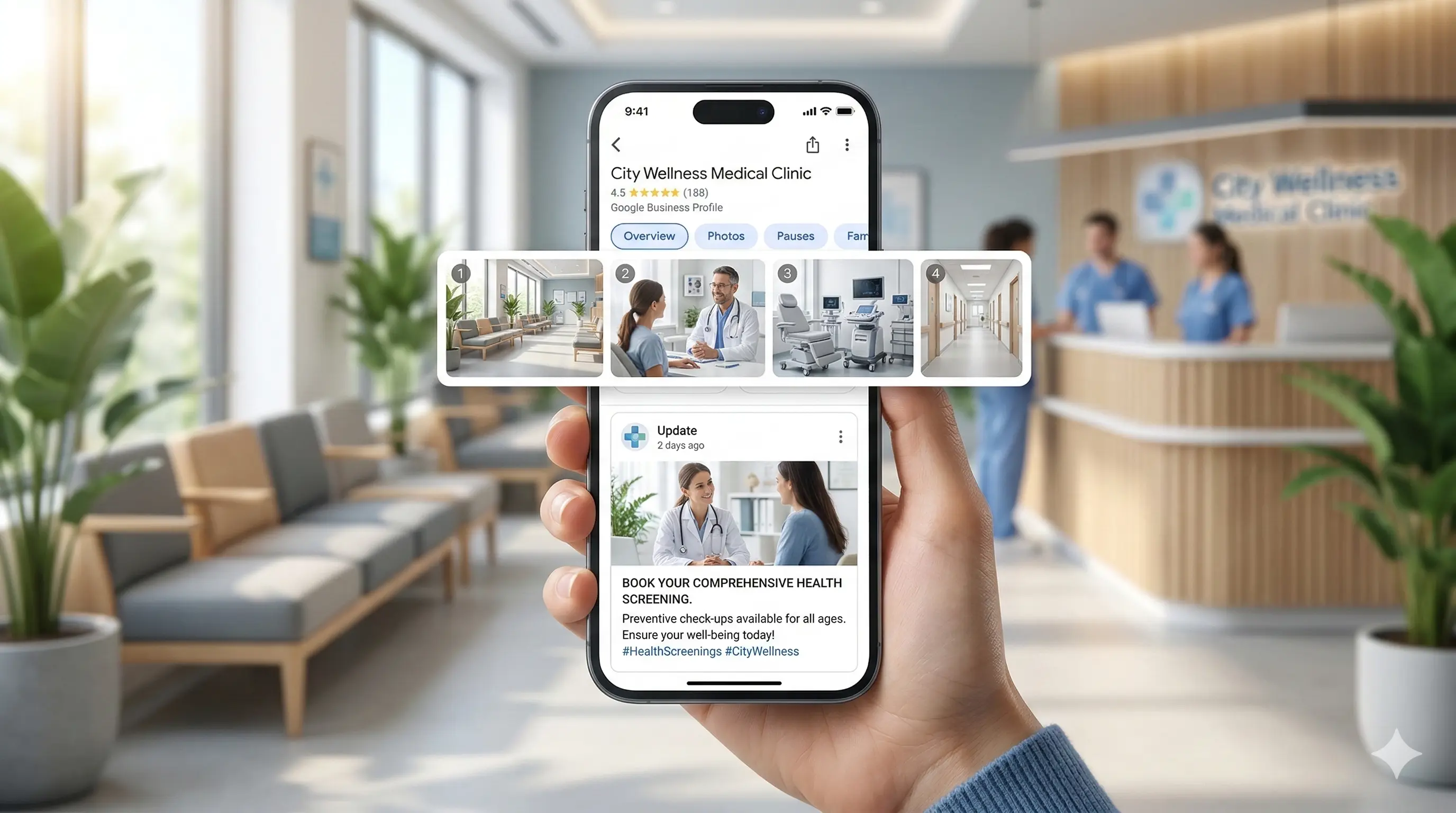
- Exterior Angles: Front of the building, signage, and parking area
- Interior Shots: Clean, well-lit waiting rooms and treatment areas
- Team Photos: Professional headshots and staff interaction moments
- Technology: Advanced equipment that reflects modern care standards
Always use high-resolution, professionally lit photos. Avoid stock images as they reduce trust and authenticity.
3. Upload Photos Consistently to Boost Local Ranking
Google heavily favors active, frequently updated business profiles. Uploading photos regularly improves your digital presence and strengthens your local SEO performance alongside SEO Services Texas.
Best Practices for Clinics:
- Upload at least two new photos every month
- Maintain consistent branding
- Ensure patient privacy (HIPAA compliance)
- Geotag images for better local targeting
Consistency helps Google understand your business activity level, improving ranking potential.
4. How GBP Posts Bring More Patients to Your Clinic
Google Business Posts act like mini-updates directly in search results. They allow you to share updates, services, and announcements before users even visit your website.
Benefits of Using GBP Posts:
- Promote seasonal services
- Announce new doctors or services
- Share clinic updates
- Increase CTR and engagement
When combined with Google Ads Management California, GBP posts can significantly amplify visibility and lead generation.
5. Types of GBP Posts That Work Best for Doctors
Healthcare patients respond best to valuable, informative content.
High-Performing Post Ideas:
- Health tips and awareness content
- Service announcements
- Clinic updates
- Event promotions
These strategies also align well with broader campaigns like Social Media Marketing Services California, ensuring consistent brand visibility across channels.
6. Optimize Every Photo and Post with Medical Keywords
Using relevant keywords ensures your content matches patient search intent.
Keywords to Include Naturally:
- Medical services (e.g., pediatric care, dental implants)
- Location-based keywords (e.g., Texas, California)
- Intent phrases (e.g., “accepting new patients”)
Rename images before uploading and include keywords naturally in captions. This supports broader campaigns like PPC Services California.
7. Monitor Engagement to Improve Your Strategy
Track performance using GBP insights to refine your approach.
Key Metrics to Track:
- Photo views
- Post engagement
- Calls generated
- Direction requests
Analyzing performance helps improve ROI and supports long-term strategies like Digital Marketing Agency California.
Conclusion
Using photos and posts strategically on your Google Business Profile can significantly increase local visibility, build patient trust, and drive more appointments.
Combining GBP optimization with services like Healthcare SEO Services California and Email Marketing Services California creates a powerful growth engine for your practice.
Frequently Asked Questions (FAQs)
1. Can we post patient photos?
Only with written consent and full HIPAA compliance.
2. How long do posts stay visible?
Up to six months in main view, permanently in updates tab.
3. Do image file names matter?
Yes, they help Google understand context and improve SEO.
4. Ideal photo size?
720x720 pixels, JPG/PNG format.
5. Can users upload photos?
Yes, which is why consistent professional uploads are essential.